

Whisper AI is a business phone assistant platform that allows businesses to create AI-powered voice agents that can handle incoming calls, provide information, and integrate with business systems. The application uses Firebase for authentication, PostgreSQL for data storage, Google Maps API for business discovery, and VAPI for voice AI capabilities, including answering calls, processing speech, and handling call flow.
Background
After a few months of playing with vibe coding and the triathlon calculator I decided it was finally time to scratch my itch of building an AI answering machine. It wasn’t till speaking to Parthraj an Vix ex-colleague who had a similar interest in AI voice so we tried a design sprint for a week to see where it would take us.
AI Vibe Coding Design Sprint
Using a design sprint Design Sprint Template approach to formailze ideas. Even just committing to being available what days over next 7 days gave us a good base to start.
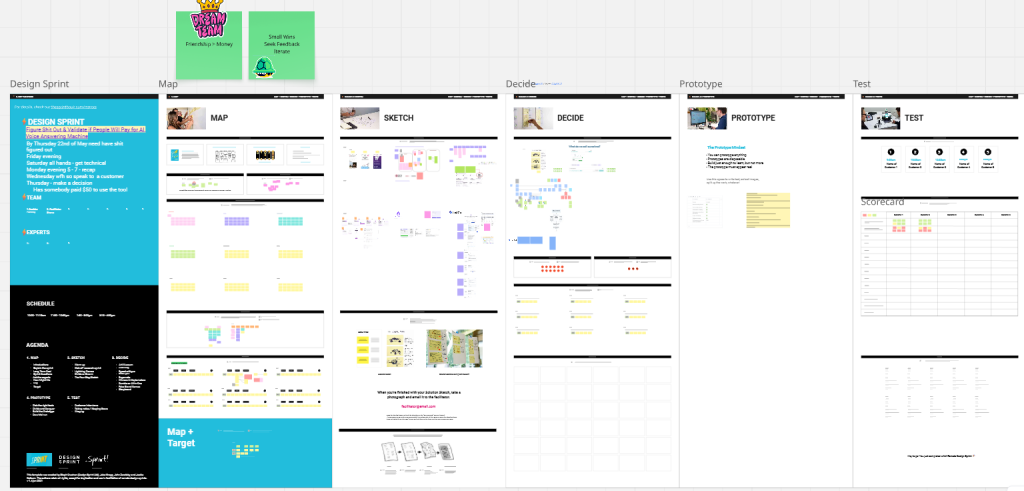
Day 1 of AI Design Sprint: Map
- set the ground rules
- long term goals
- sprint questions
- 1 is it technically possible (Parthraj)
- Will we be able get a paying customer (Shane)
- How might we What is How Might We (HMW)? | IxDF
- the user and their journey
- competitor analysis
- brain storming ideas to use my network to get first client
- user journey and what would we need to do (I’m the drum – Parth is the dancing man)
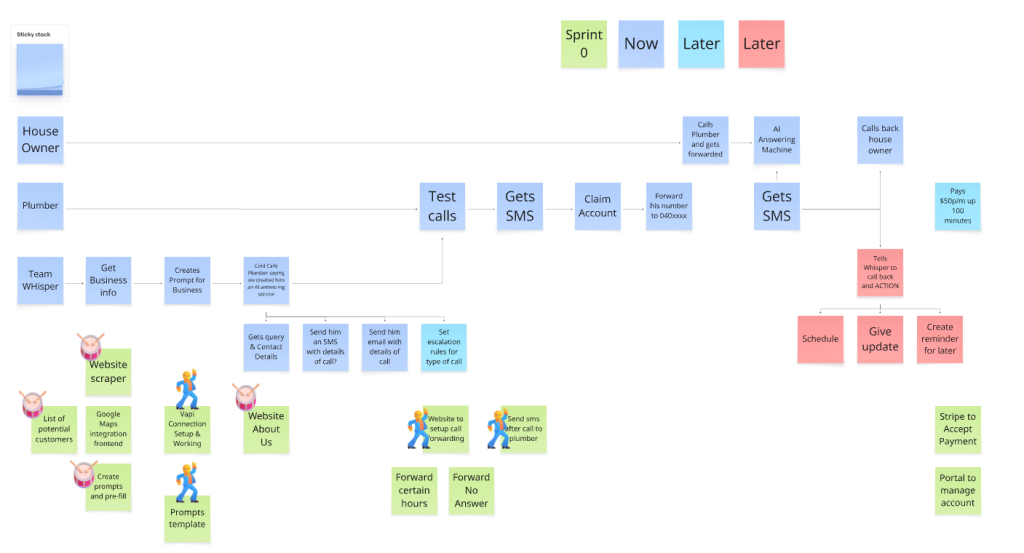
Day 2 of AI Design Sprint: Sketch
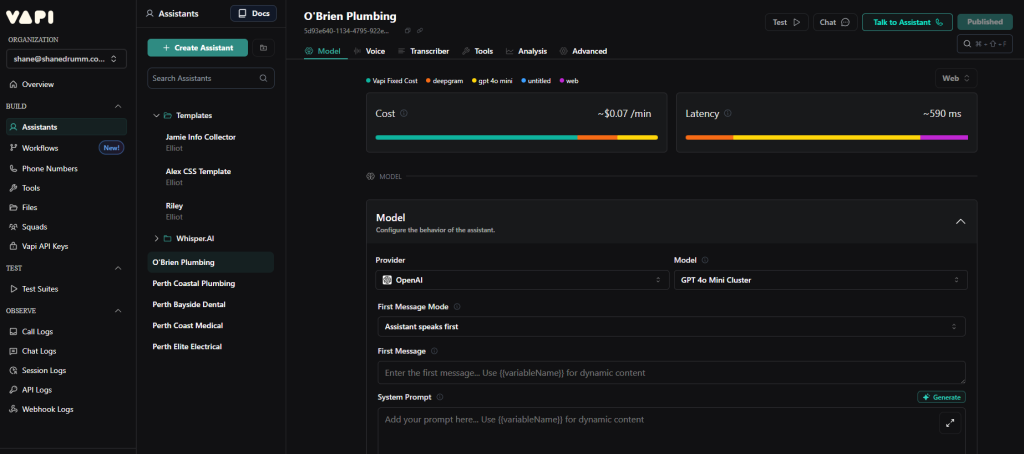
- Parth built a proof of concept and we got to talk to an actual ai assistant via our phone. He used Vapi – Build Advanced Voice AI Agents after first trying out SynthFlow which was quickly ruled out with $2k p/m agency subscription price.
Day 3 of AI Design Sprint: Prototype
Parthraj focused on VAPI integration with a phone provider Twillio where he successful was able to setup and call a AI assistant that would respond as a business using information we stored in VAPI.
I focused on building a frontend website using Replit that a user would use to get a preview from OpenAI after submitting website details where we would scrape the website for business details and then create a preview.
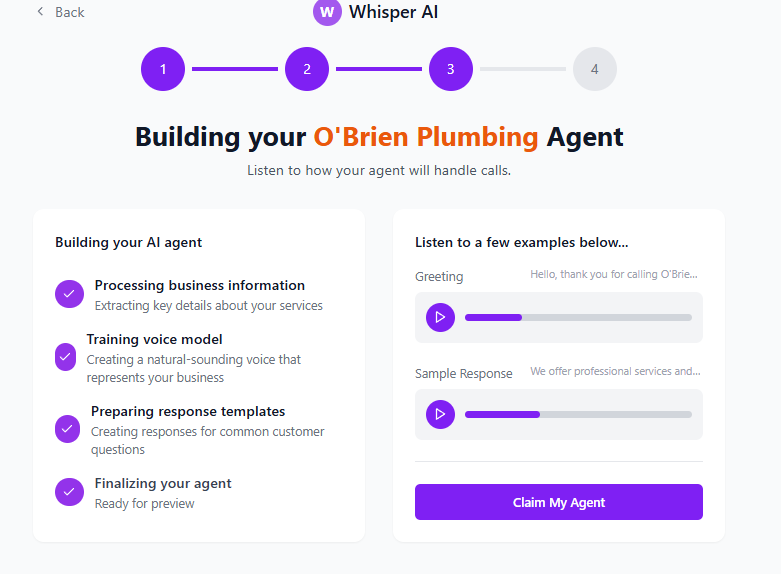
They could then signup to the service and create an agent.
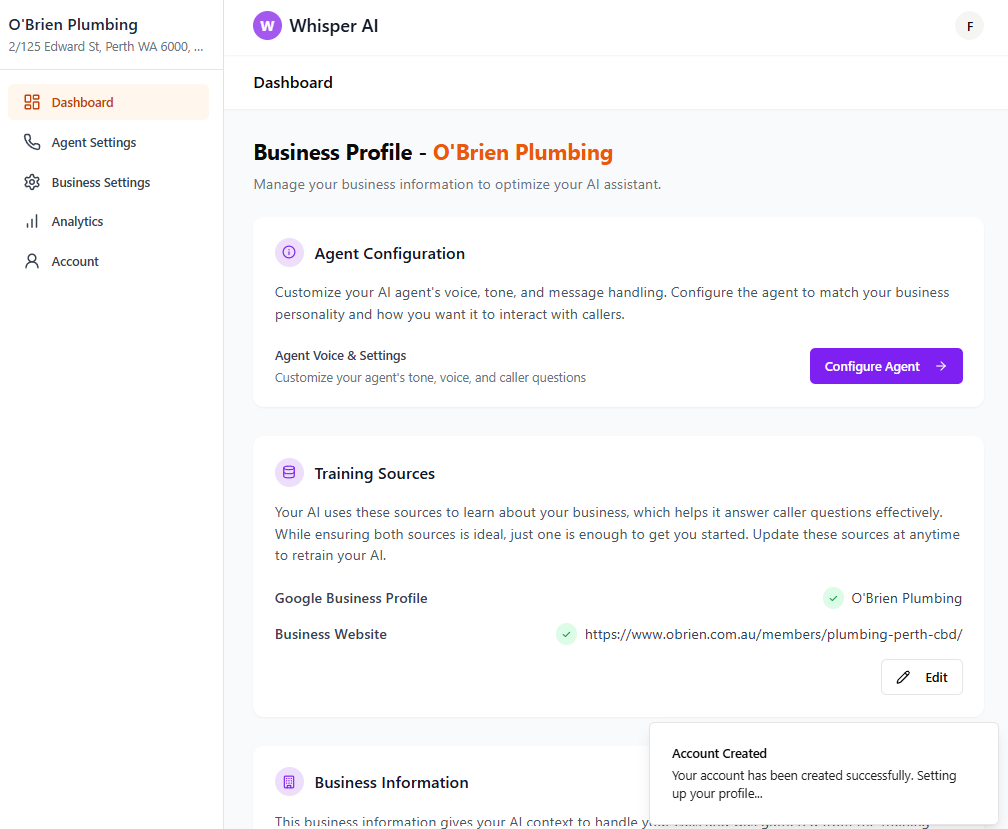
When complete it actually was creating a real agent in VAPI using their APIs but you couldn’t call it as wasn’t configured with Twilio which had a lot of red tape around phone numbers.
End of Sprint
It was great experience learning to use Replit vs lovable for my last AI project. I think going forward though I wouldn’t have passion to continue this project as it would been a long road getting clients initially setting up manually and scaling over time. I think the business idea has potential but not for me.
To build out proper App I asked Replit to create a development guide taking into considerations from building prototype:
Whisper AI – Product & Implementation Guide
Overall Product Description
Whisper AI is a business phone assistant platform that allows businesses to create AI-powered voice agents that can handle incoming calls, provide information, and integrate with business systems. The application uses Firebase for authentication, PostgreSQL for data storage, Google Maps API for business discovery, and VAPI for voice AI capabilities, including answering calls, processing speech, and handling call flow.
Core Data Model
Users Table
users {id: TEXT PRIMARY KEY (Firebase UID)email: TEXT NOT NULL UNIQUEusername: TEXTfirstName: TEXTlastName: TEXTprofileImageUrl: TEXTcreatedAt: TIMESTAMP DEFAULT NOW()updatedAt: TIMESTAMP DEFAULT NOW()}
Businesses Table
businesses {id: SERIAL PRIMARY KEYuserId: TEXT NOT NULL REFERENCES users(id) ON DELETE CASCADEbusinessName: TEXT NOT NULLbusinessOverview: TEXTaddress: TEXTphoneNumber: TEXTwebsite: TEXTservices: TEXT[]businessHours: TEXTimageUrl: TEXTvapiAssistantId: TEXTcreatedAt: TIMESTAMP DEFAULT NOW()updatedAt: TIMESTAMP DEFAULT NOW()}
AgentSettings Table
agent_settings {id: SERIAL PRIMARY KEYbusinessId: INTEGER NOT NULL REFERENCES businesses(id) ON DELETE CASCADEvoice: TEXTtone: TEXTmodel: TEXTgreetingMessage: TEXTaskCallerName: BOOLEAN DEFAULT FALSEaskCallerPhone: BOOLEAN DEFAULT FALSEadditionalQuestions: JSONBendingMessage: TEXTvoiceSpeed: FLOAT DEFAULT 1.0callForwardingNumber: TEXTcallForwardingEnabled: BOOLEAN DEFAULT FALSEcreatedAt: TIMESTAMP DEFAULT NOW()updatedAt: TIMESTAMP DEFAULT NOW()}
CallLogs Table
call_logs {id: SERIAL PRIMARY KEYbusinessId: INTEGER NOT NULL REFERENCES businesses(id) ON DELETE CASCADEvapiCallId: TEXT NOT NULL UNIQUEcallerPhone: TEXTcallerName: TEXTstartTime: TIMESTAMP NOT NULLendTime: TIMESTAMPduration: INTEGERstatus: TEXTrecordingUrl: TEXTtranscript: JSONBsummary: TEXTsentiment: JSONBrequestDetails: JSONBcreatedAt: TIMESTAMP DEFAULT NOW()}
KnowledgeFiles Table
knowledge_files {id: UUID PRIMARY KEY DEFAULT gen_random_uuid()businessId: INTEGER NOT NULL REFERENCES businesses(id) ON DELETE CASCADEfileName: TEXT NOT NULLfileType: TEXT NOT NULLfileSize: INTEGER NOT NULLstoragePath: TEXT NOT NULLvapiFileId: TEXTstatus: TEXT DEFAULT 'pending'uploadedAt: TIMESTAMP DEFAULT NOW()processedAt: TIMESTAMP}
4-Step Setup Flow Pages
1. FindBusiness Page
Purpose: Allow users to search for and select their business using Google Maps API.
UI Components:
- Search input with autocomplete
- Map display showing business locations
- List of business cards with images, names, ratings, and addresses
- “Select Business” button for each card
- “Can’t find your business?” option to manually enter details
- Progress indicator showing step 1 of 4
- Back/Next buttons
Data Flow:
- User enters business name or address in search box
- Google Maps Places API returns matching businesses
- Results are displayed as cards with map pins
- User selects a business
- Selected business data is stored in session storage
- User proceeds to ConfirmDetails page
Google Maps Integration:
- Use Places API to search for businesses
- Implement map with markers for search results
- Display business details from Places API
- Allow filtering by business type
- Capture user’s location for nearby search (with permission)
Implementation Notes:
- Implement tight validation to prevent partial or incomplete business data
- Cache search results to reduce API calls
- Provide clear error handling for API limits or network issues
- Use debounce for search input to limit API calls
- Store selected business in session storage with step completion flag
2. ConfirmDetails Page
Purpose: Allow users to verify and enhance business information from Google Maps.
UI Components:
- Pre-filled form with business details
- Business image upload/editor
- Service tag selector (multi-select with custom input)
- Business hours editor with daily schedule
- Address verification with map preview
- Optional website and contact info inputs
- Progress indicator showing step 2 of 4
- Back/Next buttons
Data Flow:
- Page loads with business data from session storage or Google Maps
- User confirms or edits details
- Optional image upload to object storage
- Validated data stored in session storage
- User proceeds to BuildingAgent page
Implementation Notes:
- Implement image upload with preview and cropping
- Use tags input with autocomplete for common business services
- Validate phone number and website formats
- Offer business hours templates for common schedules
- Store detailed business hours in structured format
- Allow address editing with geocoding validation
3. BuildingAgent Page
Purpose: Configure the AI voice assistant personality and behavior.
UI Components:
- Voice sample selector with preview audio
- Tone selection (professional, friendly, casual)
- Greeting message editor with variables
- Call handling options (ask for name, ask for phone)
- Additional question configurator
- Progress indicator showing step 3 of 4
- Back/Next buttons
Data Flow:
- Page loads with default agent settings
- User configures voice, tone, and greeting
- Settings are stored in session storage
- User proceeds to CreateAccount page
OpenAI Integration:
- Use OpenAI to generate greeting message suggestions based on business type
- Implement message previewing using text-to-speech
- Provide tone analysis for entered greetings
- Generate custom message variations for different caller scenarios
- Use OpenAI to extract business concepts from description for training
Implementation Notes:
- Use audio samples for voice preview
- Implement tone analysis for entered greetings
- Provide variable insertion for business name, time of day, etc.
- Allow voice speed customization
- Explain how each setting affects caller experience
- Include best practice recommendations
4. CreateAccount Page
Purpose: Complete user registration and set up Firebase authentication.
UI Components:
- Email/password fields
- Google Sign-in button
- Terms of service and privacy policy checkboxes
- Business setup summary showing collected information
- Progress indicator showing step 4 of 4
- Back/Create Account buttons
Data Flow:
- Page loads with all collected business and agent data
- User creates account via email/password or Google
- Account is created in Firebase and database
- Business and agent data is saved to database
- VAPI assistant is created with configured settings
- User is redirected to Dashboard
Firebase Integration:
- Implement Google OAuth sign-in
- Set up email/password authentication
- Store Firebase UID as primary key in users table
- Implement proper error handling for auth failures
- Create secure session with httpOnly cookies
Implementation Notes:
- Implement proper validation for password strength
- Show a summary of all collected information
- Explain the next steps after account creation
- Include loading indicators during the setup process
- Handle cases where the user already has an account
Dashboard Pages
1. ProfilePage (Dashboard)
Purpose: Main dashboard and hub for business management.
UI Components:
- Business summary card with logo and key information
- AI agent status indicator (online/offline)
- Quick action buttons (configure agent, view calls, etc.)
- Statistics dashboard (calls handled, average duration, etc.)
- Recent calls list with summaries
- Knowledge base status
- AI assistant performance metrics
Implementation Notes:
- Implement real-time updates for call statistics
- Show AI agent status with uptime monitoring
- Include quick toggle for agent availability
- Provide one-click access to most used features
- Display recent call performance metrics
- Include knowledge base training status
2. AgentSettings Pages
Purpose: Configure AI assistant behavior across multiple screens.
UI Components:
- Voice and tone configuration
- Greeting message editor
- Call handling rules
- Business hours and availability
- Call forwarding settings
- Knowledge base management
- Integration settings
VAPI Integration:
- Implement assistant creation with VAPI API
- Configure voice and tone settings
- Set up knowledge base uploads
- Implement webhook handling for call events
- Provide callbacks for call completion
- Configure custom TTS parameters
Implementation Notes:
- Split configuration across logical step pages
- Provide previews for each setting change
- Include best practice suggestions
- Implement auto-save for settings
- Allow A/B testing of different configurations
- Show impact analysis for each setting
3. CallHistory Page
Purpose: View and analyze past calls.
UI Components:
- Filterable call list
- Call details view with transcript
- Audio player for recordings
- Call sentiment analysis
- Caller information display
- Action items and follow-ups
- Export and sharing options
Implementation Notes:
- Implement pagination for call history
- Provide transcript search functionality
- Include sentiment analysis visualization
- Allow filtering by date, duration, outcome
- Implement call categorization
- Include voice analytics (tone, speed, etc.)
4. KnowledgeBase Page
Purpose: Manage AI training materials and information.
UI Components:
- File uploader for documents
- Website crawler configuration
- FAQ editor with categorization
- Training status indicators
- File management interface
- Testing interface for knowledge retrieval
Implementation Notes:
- Support multiple file types (PDF, DOC, TXT)
- Implement website crawling for business pages
- Provide FAQ template library
- Show training progress with detailed feedback
- Include knowledge testing interface
- Provide suggestions for missing information
Architectural Components
1. Firebase Authentication
- Use Firebase Authentication for user management
- Implement Google OAuth and email/password auth
- Store Firebase UID as primary key in users table
- Validate tokens server-side for security
- Implement proper session management
2. Google Maps Integration
- Use Places API for business search and details
- Implement geocoding for address validation
- Provide map visualization for business locations
- Use static maps for location previews
- Implement address autocomplete
3. VAPI AI Voice Integration
- Create custom voice assistants for each business
- Configure voice, tone, and behavior
- Handle incoming calls via webhooks
- Process call transcripts and recordings
- Provide analytics and insights
4. OpenAI Integration
- Generate greeting message suggestions
- Analyze and improve conversation flow
- Extract business concepts for training
- Provide sentiment analysis for calls
- Enhance knowledge base processing
5. Database Design
- Use PostgreSQL with proper relations
- Implement efficient indexing for performance
- Use JSON fields for flexible data
- Implement proper constraints and validations
- Design for scalability and future expansion
6. Security Measures
- Implement CSRF protection for all routes
- Use httpOnly cookies for session management
- Apply rate limiting for public endpoints
- Validate all user inputs with proper schemas
- Implement proper error handling without leaking details
This comprehensive guide should give you or your developer a clear understanding of the Whisper AI application architecture, data model, and implementation requirements. Each page has been designed with user experience in mind, and the technical implementations are oriented toward best practices and scalability.